Android phones store a lot of personal information such as contacts, photos, banking apps, and passwords. Because of this, hackers often target smartphones to steal data or gain unauthorized access. The good news is that by following a few simple security practices, you can greatly reduce the risk of being hacked and keep your Android device safe.
1. Keep Your Android System Updated
One of the most important ways to protect your phone is to keep your Android system updated. System updates include security patches that fix vulnerabilities hackers may exploit. Always install updates as soon as they become available.
To check for updates:
- Go to Settings
- Tap System
- Select Software Update
Regular updates ensure your device stays protected from the latest threats.
2. Download Apps Only from Trusted Sources
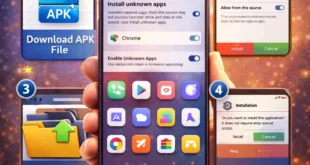
Avoid installing apps from unknown websites or third-party stores. Malicious apps often hide malware that can steal your data or control your device.
Always download apps from trusted platforms like the Google Play Store, where apps are scanned for security risks. Before installing any app, check the developer name, ratings, and user reviews.
3. Use a Strong Screen Lock
Your phone should always be protected with a secure screen lock. Use a PIN, password, fingerprint, or face unlock to prevent unauthorized access.
Avoid simple passwords such as:
- 1234
- 0000
- Your birthdate
A strong lock screen is your first defense if someone gets physical access to your phone.
4. Enable Google Play Protect
Google Play Protect is a built-in security feature that scans apps for malware and suspicious activity. It automatically checks installed apps and removes harmful ones.
To enable it:
- Open Google Play Store
- Tap your Profile Icon
- Select Play Protect
Keeping this feature active adds another layer of protection to your device.
5. Be Careful with Public Wi-Fi
Public Wi-Fi networks in cafes, airports, or hotels can be risky because hackers sometimes use them to intercept data.
If you must use public Wi-Fi:
- Avoid logging into banking apps
- Do not enter sensitive passwords
- Consider using a VPN for secure browsing
Using mobile data is usually safer for sensitive activities.
6. Review App Permissions
Some apps request permissions they do not actually need, such as access to contacts, location, or storage. Always review permissions carefully.
To check permissions:
- Go to Settings
- Tap Privacy
- Select Permission Manager
Disable permissions that seem unnecessary.
7. Turn On Find My Device
If your phone is lost or stolen, Find My Device allows you to locate, lock, or erase it remotely.
Enable it by:
- Going to Settings
- Selecting Security
- Turning on Find My Device
This feature can protect your personal data even if your phone falls into the wrong hands.
8. Avoid Suspicious Links and Messages
Hackers often use phishing messages to trick users into clicking dangerous links. These links can install malware or steal login information.
Always be cautious when receiving:
- Unknown SMS links
- Suspicious emails
- Fake prize or lottery messages
If something looks suspicious, it is best to ignore or delete it.
9. Install a Reliable Security App
A trusted antivirus or mobile security app can detect malware, spyware, and suspicious activity. Many security apps also include features like safe browsing and app locking.
Choose well-known security apps with good ratings and regular updates.
10. Backup Your Data Regularly
Even with strong security, unexpected problems can still occur. Regular backups ensure that you do not lose important data.
You can back up your phone using:
- Google Drive
- Cloud storage services
- External storage devices
Having a backup makes recovery much easier if something goes wrong.
Conclusion
Keeping your Android phone safe from hackers does not require complicated tools. By updating your system, installing apps from trusted sources, using strong passwords, and staying alert online, you can significantly improve your device security. A few simple habits can protect your personal data and ensure your Android experience remains safe and smooth.