Many Android users experience slow performance over time, but what most people don’t realize is that Android already includes several hidden features designed to improve speed and efficiency. These built-in tools can optimize your device, reduce lag, and help your phone run smoother without installing any extra apps.
In this article, we’ll explore some of the most useful hidden Android features that can significantly improve performance.
1. Developer Options Animation Controls
One of the easiest ways to make an Android phone feel faster is by adjusting the animation settings.
Developer Options includes controls for:
- Window animation scale
- Transition animation scale
- Animator duration scale
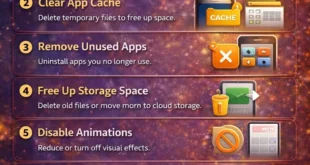
By reducing these values from 1x to 0.5x or turning them off completely, your phone will open apps and menus much faster. The device isn’t technically faster, but it feels much more responsive.
To enable Developer Options:
- Go to Settings
- Tap About Phone
- Tap Build Number seven times
After enabling it, you’ll find Developer Options in the main settings menu.
2. Adaptive Battery
Adaptive Battery is an intelligent Android feature that learns how you use apps and limits background activity for apps you rarely open.
Benefits include:
- Longer battery life
- Reduced background processes
- Better overall system performance
By restricting unnecessary apps from running constantly, your phone uses fewer resources and runs more efficiently.
You can enable it by going to:
Settings → Battery → Adaptive Battery
3. Storage Manager
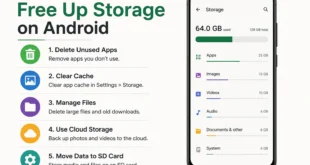
Storage clutter is one of the biggest causes of slow Android performance. Android includes a built-in Storage Manager that automatically removes unnecessary files.
Storage Manager can delete:
- Temporary files
- Old downloads
- Duplicate media files
This helps keep your device storage optimized without manual cleaning.
4. Background Process Limit
Another powerful hidden setting inside Developer Options is Background Process Limit.
Android normally allows many apps to run in the background, which can consume RAM and slow down your phone. By limiting the number of background processes, you can free up system memory.
Options include:
- Standard limit
- At most 4 processes
- At most 3 processes
- At most 2 processes
Lowering the limit can significantly improve performance on devices with limited RAM.
5. Game Mode or Performance Mode
Many Android devices include a hidden Game Mode or Performance Mode designed to boost processing power during demanding tasks.
This mode can:
- Allocate more CPU resources to active apps
- Reduce background activity
- Improve gaming and multitasking performance
While it’s designed for games, it can also help when running heavy applications.
6. Disable Unused System Apps
Most Android phones come with pre-installed apps that many users never use. These apps can still run in the background and consume system resources.
You can improve performance by disabling unused apps.
Steps:
- Go to Settings
- Tap Apps
- Select the app
- Tap Disable
Disabling unnecessary apps reduces background activity and frees up RAM.
7. Smart Data Saver
Data Saver is another built-in feature that can indirectly improve performance.
When enabled, it:
- Restricts background data usage
- Prevents apps from constantly syncing
- Reduces network-related processing
This results in less system load and better overall efficiency.
8. Auto Optimization
Some Android systems include automatic optimization tools that run periodically to improve device performance.
These tools can:
- Close background apps
- Clear temporary files
- Optimize memory usage
Keeping auto optimization enabled helps maintain consistent performance over time.
Conclusion
Android devices include many powerful hidden features that can significantly improve performance without installing third-party tools. By adjusting settings like animation scale, background processes, and adaptive battery, users can make their phones faster, smoother, and more efficient.
Exploring these hidden Android features is a simple yet effective way to extend your device’s lifespan and enjoy a better overall smartphone experience.