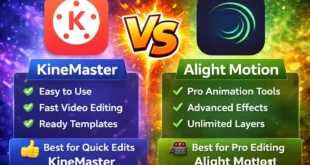
If you’re confused between these two popular editing apps, here’s a clear, real comparison 👇
⚔️ Quick Comparison Table
| Feature | CapCut | VN Editor |
|---|---|---|
| Ease of Use | Very easy (best for beginners) | Medium (needs practice) |
| Templates | Huge viral templates | Limited |
| AI Features | Advanced (auto captions, effects) | Very limited |
| Editing Control | Good | 🔥 More professional control |
| Audio Editing | Advanced | Basic |
| Performance | Heavy (needs good phone) | Smooth on low-end phones |
| Export Quality | Up to 4K | Up to 4K |
| Watermark | No watermark | No watermark |
🔥 CapCut – Best for Beginners & Viral Content
✅ Pros:
- Super easy to use
- Tons of ready-made templates
- AI tools like auto captions & background removal
- Perfect for TikTok, Reels, YouTube Shorts
👉 CapCut is designed for fast editing + viral content
❌ Cons:
- Needs good phone (can lag on low-end)
- Less manual control compared to VN
🎯 VN Editor – Best for Professional Editing
✅ Pros:
- More control (timeline, layers, color grading)
- Smooth performance on low-end devices
- Clean, professional editing style
- Great for YouTube long videos
❌ Cons:
- Fewer templates & effects
- Not beginner-friendly
🧠 Real User Insight (From Reddit)
“CapCut is smooth and good for social media videos while VN is for professional videos”
👉 Meaning:
- CapCut = fast & trendy
- VN = clean & cinematic
🏆 Final Verdict
👉 Choose CapCut if:
- You want easy editing
- You make Reels / TikTok / Shorts
- You like ready templates & effects
👉 Choose VN Editor if:
- You want full control
- You edit YouTube / cinematic videos
- You have a low-end phone
⚡ Simple Answer
- Best overall for beginners → CapCut
- Best for pro editing → VN Editor